
 Help center
How can we help?Answers about calls, alarms and your plan.
Search the answers or browse by topic. If you're still stuck, a person on the Alarmis team will help.
54 answers in 8 topics
Getting started
What Alarmis is and how to set it up.
What is Alarmis?
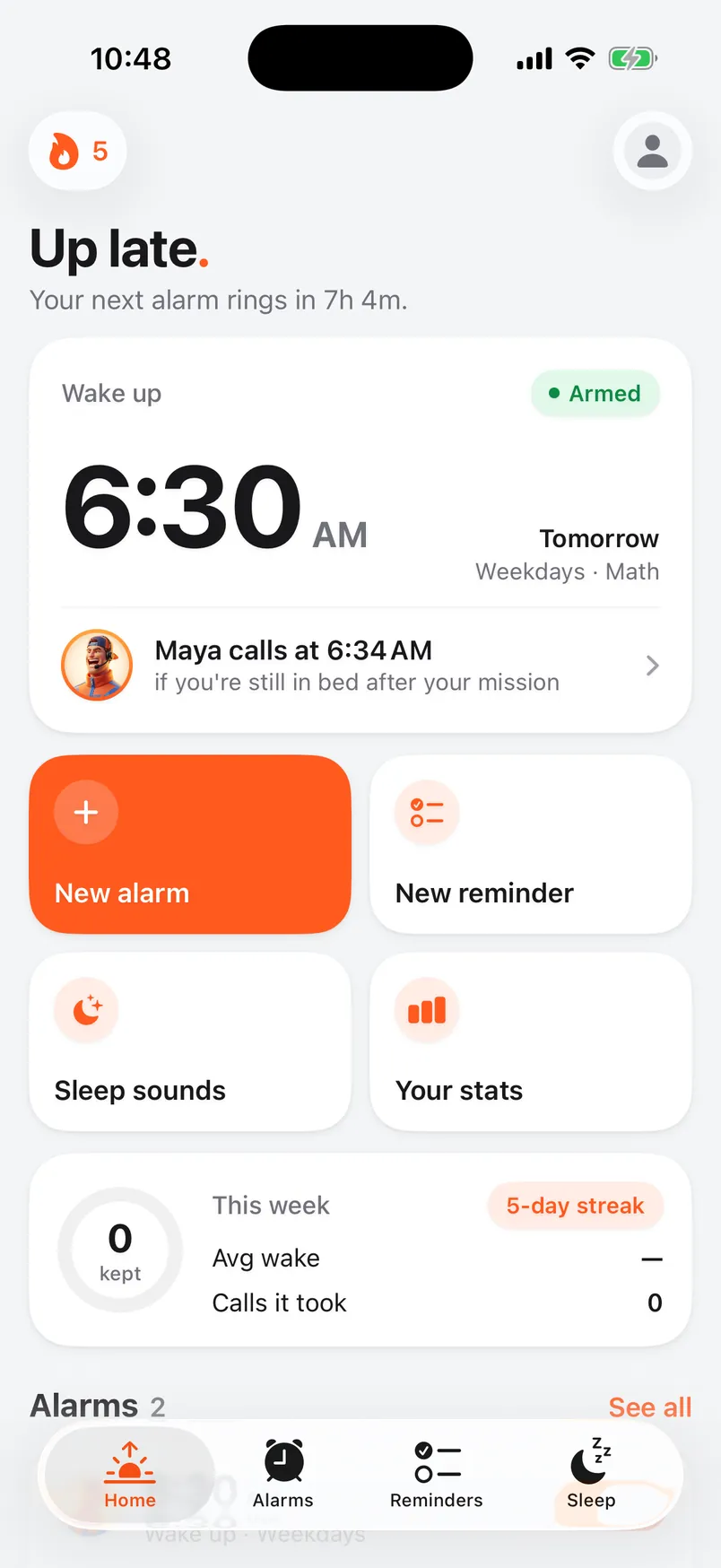
Alarmis is an alarm clock for iPhone with a backup plan. Your alarm rings and you finish a short mission to turn it off. If you're still in bed when the grace period ends, an AI caller phones you and asks you to prove you're awake.
What do I need to use Alarmis?
An iPhone on iOS 26.1 or later, and a phone number that can receive calls. Alarmis is made for iPhone. There's no iPad or Android version.
How do I get set up?
Download the app and follow the setup. It takes a few minutes.
- Answer a few questions about your mornings and pick your caller.
- Sign in with Apple or with your email.
- Verify your phone number with a code.
- Choose a plan. The yearly plan starts with 3 days free.
- Save your caller's contact card and turn on Emergency Bypass so the call can ring through.
- Send yourself a test call.
Why does Alarmis need my phone number?
Your caller phones that number. We send you a code to confirm it's yours, and you agree to receive automated wake-up calls there. Calls only ever go to a verified number.
Where are the settings in the app?
Tap your profile picture at the top of the Home, Alarms, Reminders or Sleep screen. That opens Settings, where you'll find your profile, your caller, call usage, notifications, your subscription and Support.
Wake-up calls
How the call works and what it asks of you.
How do wake-up calls work?
When your alarm rings, Alarmis starts a countdown. Finish your mission before it runs out and no call is placed. If you're still in bed when it hits zero, your caller phones you. Pick up, prove you're awake, and the morning counts.
When will my caller call?
When your grace period ends. You set it for each alarm, from 2 to 10 minutes, and new alarms start at 4 minutes. Change it in the alarm editor, or set the default for new alarms in Settings under Alarms & missions.
What happens on the call?
Your caller greets you by name and asks you to prove you're awake. Answer two of up to three math problems correctly, or say your morning affirmation word for word. Pass, and the morning counts.
What if I don't pick up?
If you don't answer, or you don't pass, your caller tries again about two minutes later, up to 3 calls a morning. If you haven't finished your mission or passed a call within 20 minutes of your alarm time, the morning counts as missed.
What are quick calls?
A check-in of about 30 seconds. Your caller asks the number-one thing you're doing today and gives you one math problem. It's the same proof you're awake, and each morning uses less of your monthly call time. Turn it on in Settings under Your caller.
Can my caller mention my plans or the weather?
Yes. Add a reason in the alarm editor under Why this alarm?, like “Dentist appointment at 9”, and your caller brings it up. Turn on Caller mentions the weather in Settings and your caller can say what it's like outside. Weather uses your rough location, to about a kilometer, and turning it off deletes the stored location.
How much call time do I get?
Every plan includes 45 minutes of calls a month. Wake-up calls, callback checks and reminder calls all count toward it. The meter resets at the start of each month, and you can see your usage in Settings under Calls & plan.
If you run out, your alarms keep ringing. Call credits keep the calls coming until the meter resets.
Alarms & missions
Ringing, missions and the alarm editor.
Will my alarm ring on Silent or in a Focus?
Yes. Alarmis uses AlarmKit, Apple's framework for alarms, so your alarm rings through Silent mode and Focus. The wake-up call is a phone call, so save your caller as a contact with Emergency Bypass turned on. Setup walks you through it.
Can I snooze?
No. There's no snooze button. If you tap Stop, the alarm rings again a few seconds later. It keeps coming back until you finish your mission or answer your caller.
What are missions?
Missions are short tasks that prove you're up before the alarm lets you go. You can stack up to five on one alarm, and they run back to back. Missions include:
- Math, Memory and Anagram
- Affirmation, where you type your affirmation word for word
- Steps, Shake it and Push-ups
- Scan code, Photo spot, Find it and Make your bed
- Find the sky and Touch grass
Why does a mission need setting up first?
Scan code, Photo spot, Find it and Make your bed check against something you register once, like the code you stick across the room. Do that in the alarm editor. Alarmis won't save the alarm until each mission is ready. If the camera isn't available at wake-up time, Alarmis offers a math problem instead, so you're never stuck.
How do I make the alarm louder?
Turn on Extra Loud Mode in the alarm editor. If Alarmis is open when the alarm fires, it also plays your sound at full volume, even with the ringer turned down. You can pick the alarm sound in the editor too.
Can I pause my alarms for a trip?
Yes. In Settings under Vacation, pick an end date and tap Pause all alarms. Alarms and calls stop until then, and paused mornings don't count as missed. Tap End vacation now to come back early.
What are sleep sounds?
The Sleep tab has 74 looping sounds in collections like noise, weather, fire and space, with a sleep timer that fades out. Browse them on the sleep sounds page.
Callers & voices
Who calls you, and how to change them.
Who are the callers?
75 characters across 8 languages (English, Español, عربي, Hindi (Desi), 中文, 한국어, Français and Italiano), plus a World collection that speaks accented English. Hear every one on the callers page.
Are the callers real people?
No. Each caller is an AI voice with its own personality. The conversation is live, so your caller hears what you say and answers back.
How do I change my caller?
Set your default caller in Settings under Your caller. It applies to new alarms. To change the caller for one alarm, open it and tap Change next to the caller. Tap a caller to hear them before you pick. You can also give your caller a different name.
How do I get my caller to say my name right?
In Settings under Profile, set Caller calls you to the name you want to hear. Then add a sound-it-out spelling under How to say it, like shi-VAWN for Siobhán.
Can I make my caller gentler or tougher?
Yes. In Settings under Your caller, set How hard do they push? to Gentle, Standard or Ruthless.
What are accountability partners?
Add a friend in Settings under Accountability and set your rule, like missing a number of wake-ups within a number of days. Break it and your partner picks your caller, in any language. They don't need the app, just the link you send them.
Your partner only ever chooses the caller. They can't change your alarm times, your number or whether an alarm is on. You can have up to three partners and revoke one at any time.
How do I request a new caller?
Use the request a voice form, or tap Request a caller in the app's Settings under Help. Describe the character and how they'd get you up. We read every request.
Reminders & callback checks
The follow-up call, and reminders that ring.
What is the callback check?
It catches you falling back asleep. A few minutes after you're up, a notification asks if you're still awake. Open the app and confirm within the window, or your caller rings you one more time. The follow-up call uses your monthly call time.
How do I change the callback check?
In Settings under Calls & plan, turn the callback check on or off for new alarms and set how long it waits, from 2 to 20 minutes. Each alarm also has its own Callback check section in the editor, so you can change it for one alarm.
How do reminders that call me work?
Add a reminder in the Reminders tab and give it a due time. You get a notification when it's due. If you haven't marked it done by the end of the window you picked, your caller phones you about it. Reminder calls use your monthly call time.
Can Alarmis use my Apple Reminders?
Yes. Turn on Sync Apple Reminders in Settings. Reminders with a due date get the same treatment, and checking one off in either app resolves it in both. Alarmis syncs when you open it, and it syncs at most 5 reminders a day, so a long list can't use up your call time.
What's the bedtime warning?
Pick a sleep target from 6 to 10 hours in Settings under Sleep & habits. You'll get a notification from your caller that many hours before your alarm. Turn on the Wind-down nudge for a second, quieter reminder 45 minutes before that.
Do notification settings affect my calls?
No. They control the notifications on your iPhone only. Turning one off never cancels a phone call.
Plans & billing
Prices, the trial, credits and cancelling.
Is there a free version?
No. Alarmis needs a subscription. The yearly plan starts with 3 days free, so you can try everything before you pay.
How much does Alarmis cost?
- Weekly: $3.99 a week
- Monthly: $8.99 a month
- Yearly: $69.99 a year, about $1.35 a week, with 3 days free to start
Prices are in US dollars and billed through your Apple Account.
What's included in each plan?
Everything. Every plan includes all 75 callers, every mission, 45 minutes of calls a month, callback checks, reminder calls, streak freezes and sleep sounds. The plans differ in how often you pay, and only yearly has the free trial.
How does the free trial work?
The yearly plan starts with 3 days free. If notifications are on, Alarmis reminds you two days before the trial ends. Cancel at least 24 hours before it ends and you won't be charged. Apple gives each Apple Account one free trial of Alarmis.
What are call credits?
Credit packs add extra calls for heavy months. Choose 20 calls for $4.99 or 50 calls for $9.99. One credit is one call, wake-up or reminder. Credits kick in only after your monthly minutes run out, and they never expire. Buy them in Settings under Calls & plan. You need an active subscription to use them.
How do I cancel or switch plans?
On your iPhone, open Settings > your name > Subscriptions > Alarmis. You can also get there from the app under Settings > Subscription > Manage subscription. Pick another plan on the same screen to switch.
Cancelling stops the next renewal, and your current period stays active until it ends. Deleting the app doesn't cancel your subscription.
Can I get a refund?
All sales are final, so we don't refund subscriptions, partial periods or call credits. Purchases go through Apple, so Apple handles any refund request under its own policies at reportaproblem.apple.com. Read the full refund policy.
What happens when my subscription ends?
Wake-up calls, callback checks and reminder calls stop. The next time you open Alarmis, it asks you to choose a plan.
Can I get extra minutes by inviting friends?
Yes. Find your code in Settings under Spread the word > Invite friends. When a friend redeems it, you each get 5 bonus minutes of call time. Yours arrives once they verify their phone number.
Account & privacy
Your number, your data and your account.
How do I change my phone number?
In Settings under Profile, tap Change number and verify the new one with a code. Calls go to the new number once it's verified.
How do I move to a new iPhone?
Install Alarmis and sign in the same way you did before, with Apple or your email. Your alarms, caller and streak come with your account. If your plan doesn't show up, tap Restore on the plan screen.
Are my calls recorded?
Wake-up calls are recorded and transcribed so the call can check you're up. Test, callback and reminder calls aren't recorded by default. Find them in Settings under Calls & plan > Call history. You can delete a call's recording and transcript there at any time, and your streak stats stay.
What does Alarmis do with Apple Health, my location and the camera?
- Apple Health is read-only. Alarmis reads your recent sleep to show last night's summary and suggest a wake time based on your usual sleep timing, and that data never leaves your iPhone.
- Location is used only if you turn on weather. It's rough, to about a kilometer, and turning weather off deletes it.
- The camera is used by camera missions like Scan code and Photo spot, which check the picture on your iPhone.
The Privacy Policy has the full details.
How do I delete my account?
In Settings under Account, tap Delete account. This removes your alarms, reminders, call history and streak, and it can't be undone. Your App Store subscription keeps billing until you cancel it in iPhone Settings > your name > Subscriptions.
Troubleshooting
When a call or an alarm doesn't behave.
I didn't get a wake-up call. What should I check?
First, if you finished your mission before the grace period ended, no call is placed. That morning is a win. Otherwise, check these:
- Your subscription is active, under Settings > Subscription.
- Your phone number is verified, under Settings > Profile.
- Wake-up calls is on under Settings > Calls & plan, and you have minutes or credits left.
- Vacation mode is off.
- Your caller is saved as a contact with Emergency Bypass on, so the call can ring through Silent mode and Focus.
If all of that looks right, check the status page or contact us.
I finished my mission but still got a call. Why?
Your caller dials as soon as the grace period ends. If you finished right around then, or your phone couldn't reach our servers in time, the call may already be on its way, and a call that's ringing isn't cancelled. The morning still counts if you finished the mission within 20 minutes of your alarm time.
My call came a few minutes late.
Calls go out after your grace period. At busy times, like early-morning peaks, a call can take a few extra minutes. Carriers, weak signal, Focus settings or a phone that's off can also delay or block a call. Your alarm still rings on your iPhone either way.
The app says an alarm won't ring.
That banner on Home means iOS didn't schedule the alarm, most often because alarms are turned off for Alarmis. Tap Turn on Alarms in the banner to open the right setting. The banner also tells you whether your wake-up call will still come through.
The app says “Your Pro isn't reaching our servers”.
The App Store shows your subscription, but our servers haven't confirmed it yet, so calls can't go out. Tap Restore purchases under that message in Settings > Subscription. That usually fixes it. If it doesn't, contact us.
Do I need an internet connection?
Your alarm and missions work offline. To skip the call, though, your phone has to tell our servers you're up before the grace period ends. If it can't get through in time, your caller may ring anyway.
Is Alarmis down?
Check the status page for calls and the app. If our servers have a problem, your alarm still rings, because it runs on your iPhone.
How do I contact support?
In the app, open Settings and tap Support under Help. You can attach up to three screenshots, and the Alarmis team replies right there in the app. You can also use the contact form or email support@alarmis.app.
Still stuck?Ask a person.
Send us a message and someone on the Alarmis team reads it. In the app, open Settings and tap Support to chat with us there, screenshots and all.