BlogGuides
Why your iPhone alarm isn't waking you up
Check the volume, the sound, StandBy and your headphones first. Then fix the part no setting can, which is turning the alarm off without waking up.
The Alarmis team4 min read
You set the alarm. You're sure you did. And then you open your eyes, the light looks wrong, and it's 40 minutes later than it should be.
When an iPhone alarm doesn't wake you, there are two possibilities. Either the alarm didn't sound the way you expected, or it did and you turned it off without remembering. This guide walks through both, starting with the settings you can check in a couple of minutes.
Start with what Apple says
Apple has a support article on setting and changing alarms on iPhone, with a section on alarms that are too quiet or don't sound. Two points from it are worth knowing before you change anything:
- Silent mode doesn't silence alarms. Apple says Do Not Disturb, the Ring/Silent switch and Silent mode don't affect the alarm sound. If you've been leaving your phone on Ring "just in case", you don't need to.
- Volume is the first thing to check. Apple's fix for a quiet alarm is to raise the volume with the side buttons, or in Settings under Sounds & Haptics, using the Ringtone and Alerts slider.
That second point is easy to miss. If you turned that slider down for a meeting and never turned it back up, start there.
Check these settings tonight
Go through this list before bed. Most fixes take seconds.
The ringer volume
Open Settings, tap Sounds & Haptics and look at the Ringtone and Alerts slider. If it's near the bottom, drag it up. You can test it by setting an alarm two minutes from now.
The alarm's sound
Apple notes that if your alarm only vibrates, its sound may be set to None. Open the Clock app, tap Alarms, tap Edit, tap the alarm, then tap Sound and pick one. Do this for each alarm, since every alarm has its own sound setting.
StandBy
If your phone sits on a charger in StandBy overnight, Apple says haptics for your alarms are turned off. The sound still plays, but if you rely on vibration to wake you, StandBy removes it.
Headphones
According to Apple, when headphones are connected, the alarm plays at a set volume through the iPhone's built-in speaker as well as wired and wireless headphones. If you fall asleep with earbuds in, you may hear the alarm at a volume you didn't choose.
The alarm itself
These sound obvious, and they cause a lot of missed mornings:
- Is it set for AM, not PM?
- Is it switched on?
- Are the repeat days right? An alarm set for weekdays won't ring on a Saturday shift.
- Do you have several alarms with similar times? It's easy to edit the wrong one.
Power
A phone that dies at 3 AM can't wake you at 6. Plug it in, and check that the cable actually charges. A loose connection is easy to miss in the dark.
Check where the phone sleeps
Where your phone sits matters as much as how it's set.
- Under a pillow muffles the speaker.
- Face down on a soft surface can do the same.
- Right next to your head makes it easy to grab and silence without really waking.
- Across the room means you have to get up to turn it off. That's usually the point.
If you share a room, a phone across the room may also wake your partner first. Agree on a plan before you try it.
When the problem is you
If the settings are fine and the alarm still doesn't work, the honest answer is often that it does ring and you deal with it on autopilot. You swipe it off, roll over and have no memory of it.
Right after waking you're groggy, and turning off a noise is about the easiest thing a half-asleep person can do. A louder sound won't fix it. What helps is making the alarm harder to dismiss without really waking up.
Some ways to do that:
- Distance. Put the phone where you have to stand up and walk to it.
- A task. Make stopping the alarm require something that takes thought, like solving a few math problems.
- A second check. Have something confirm you're still up a few minutes later, because getting up and then lying back down is its own trap.
How Alarmis handles it
Alarmis is built for people whose alarm works fine and who sleep through it anyway.
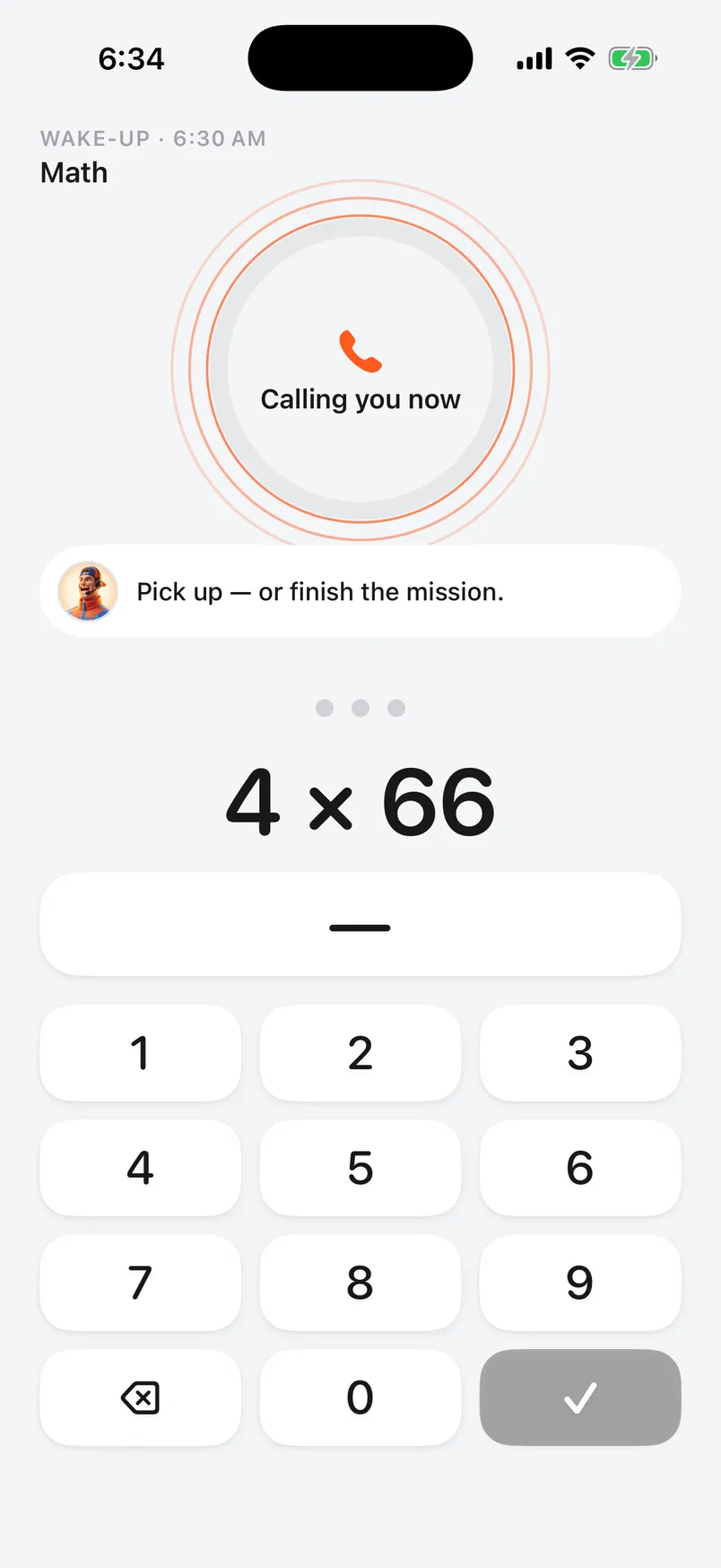
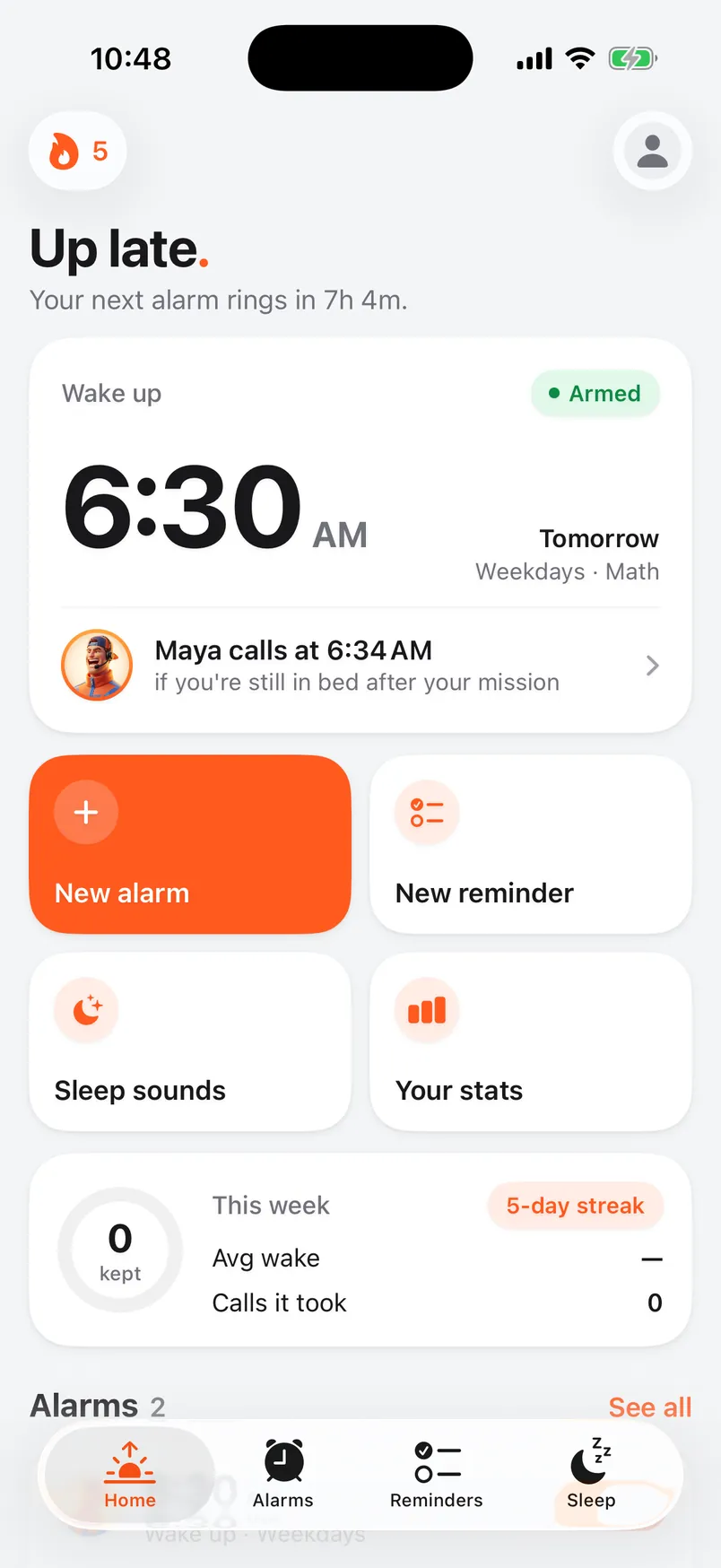
There's no snooze button. To stop the countdown, you finish a wake-up mission: math problems, a set number of steps, a few push-ups, or scanning a code you've put in another room. If you're still in bed when your grace period ends, your caller phones you. That's an actual call to your phone number, and you prove you're awake on the call by answering math questions or repeating your affirmation.
The alarm is built on AlarmKit, Apple's framework for alarms, so it rings through Silent mode and Focus. The phone call follows your ringer and Focus settings like any other call, so the app walks you through saving Alarmis as a contact with Emergency Bypass turned on. That lets the call ring through Do Not Disturb.
If you turn on the callback check, a few minutes after you're up your caller asks if you're still awake. Don't confirm, and they call you again.
A five-minute checklist
Before bed tonight:
- Raise the Ringtone and Alerts volume in Settings.
- Open each alarm and make sure the sound isn't set to None.
- Check AM or PM, the repeat days and that the alarm is on.
- Plug in the phone and check that it's charging.
- Take out your earbuds, or know the alarm will play through them.
- Move the phone somewhere you have to get up to reach.
If you do all six and still sleep through it, the alarm isn't the problem anymore. Make it harder to turn off, or add someone who will call.
This isn't medical advice.